No cloud storage required
Your data stays on your own computer, ready to access remotely anytime.
Build your own cloud with the computer you already own.
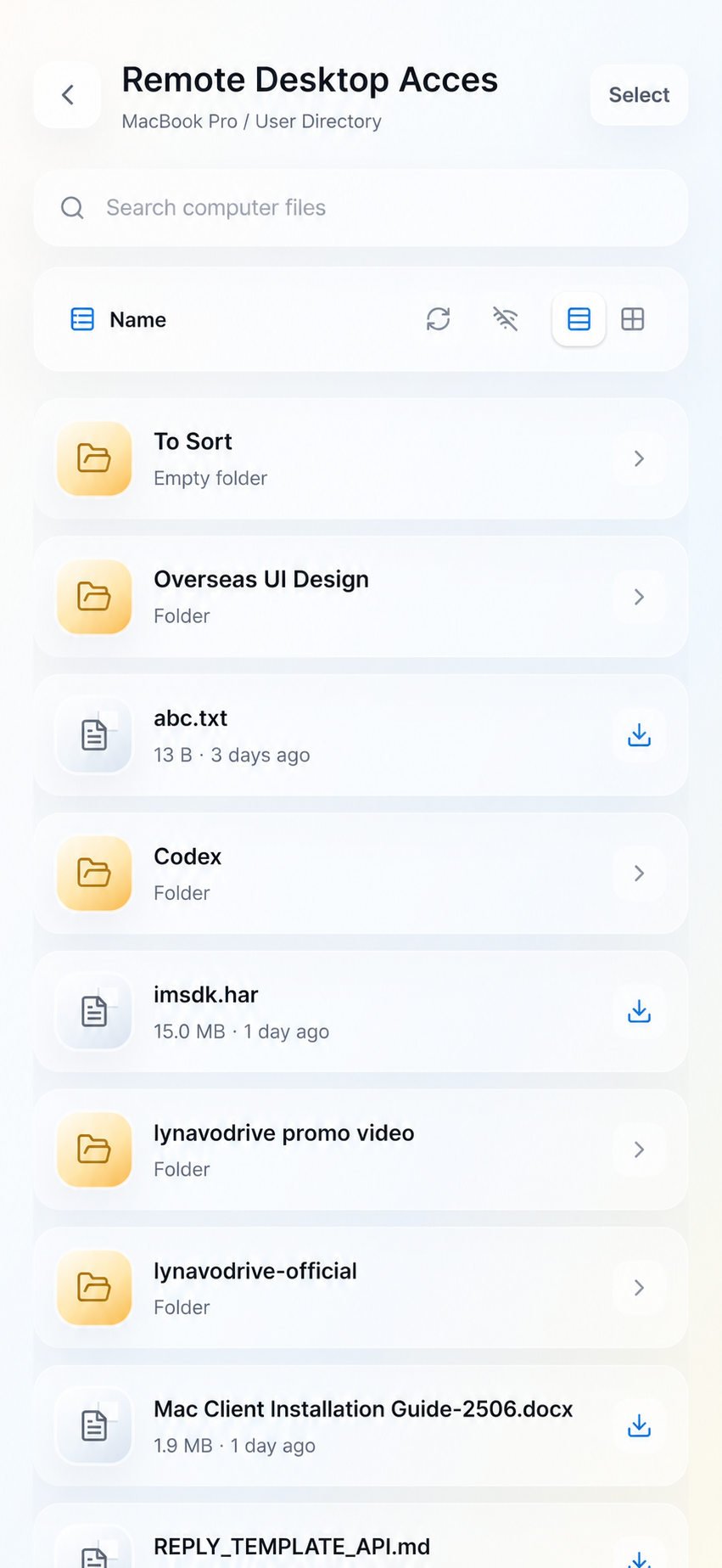
Back up phone photos to your own computer and access computer files over your local network.
Your data stays on your own computer, ready to access remotely anytime.
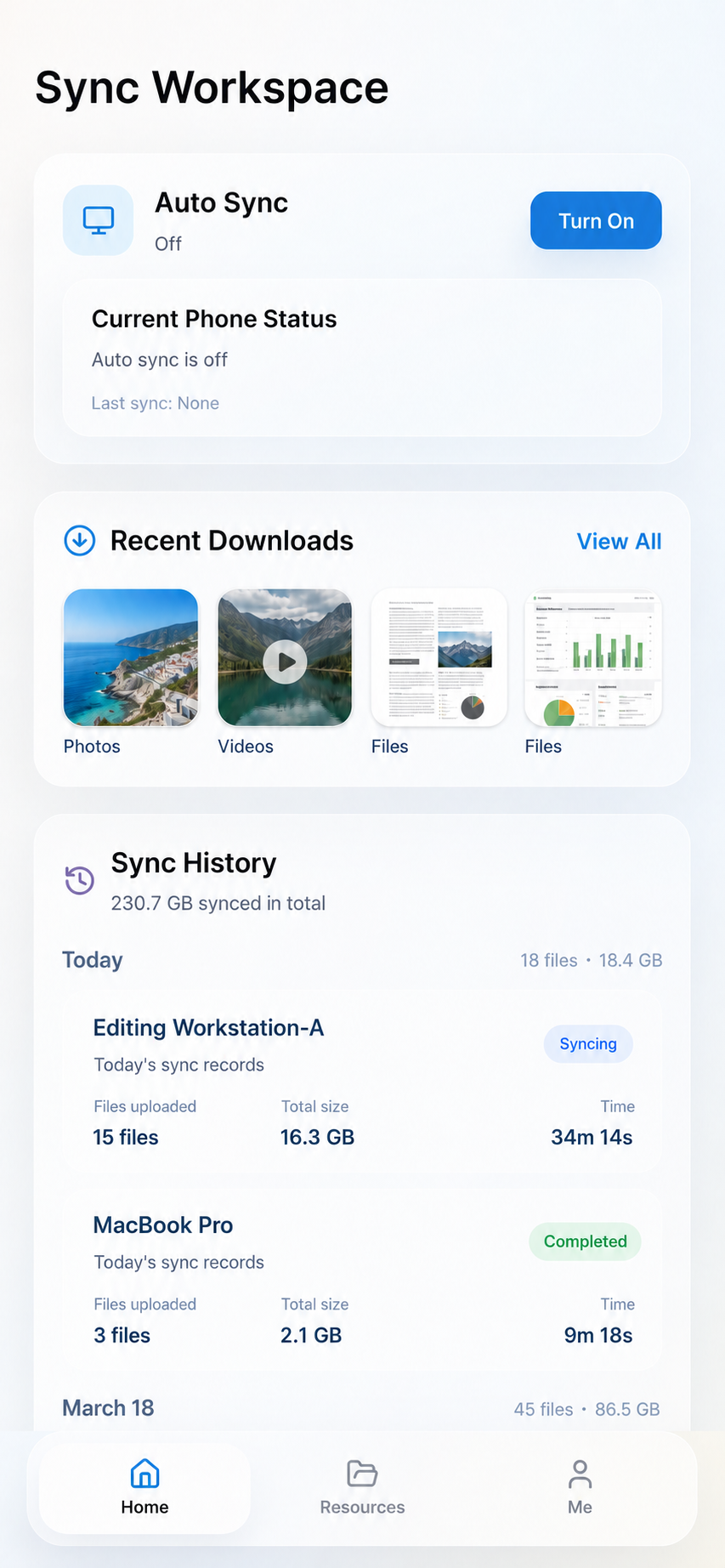
One-tap auto sync, with phone access to computer files wherever you are.
Download and start. No cable, no deployment, and no NAS purchase required.
Encrypted transfer with device access controls you can manage.
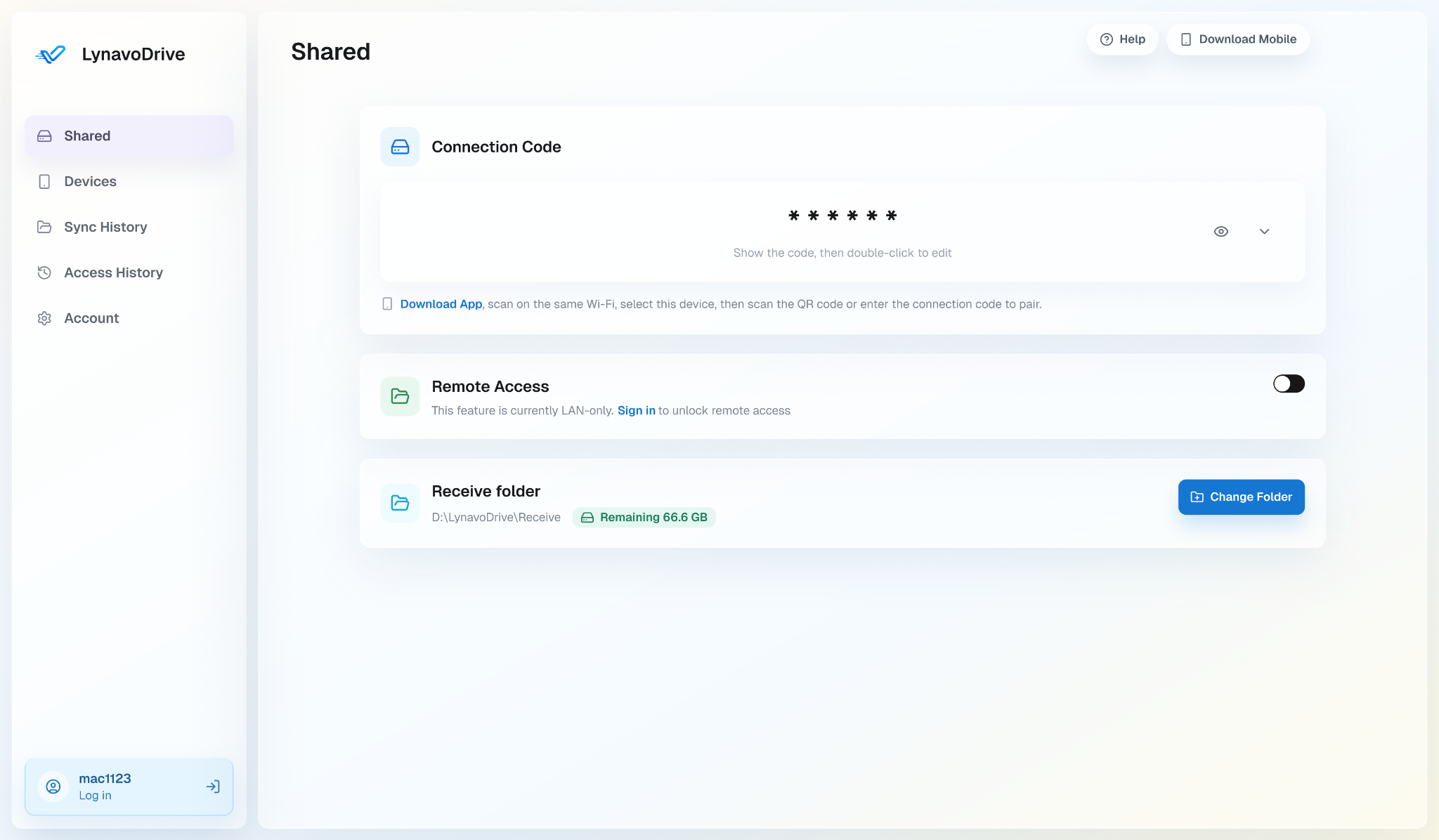
Your phone needs the connection code from the desktop app before it can connect. Too many wrong attempts block the device automatically.
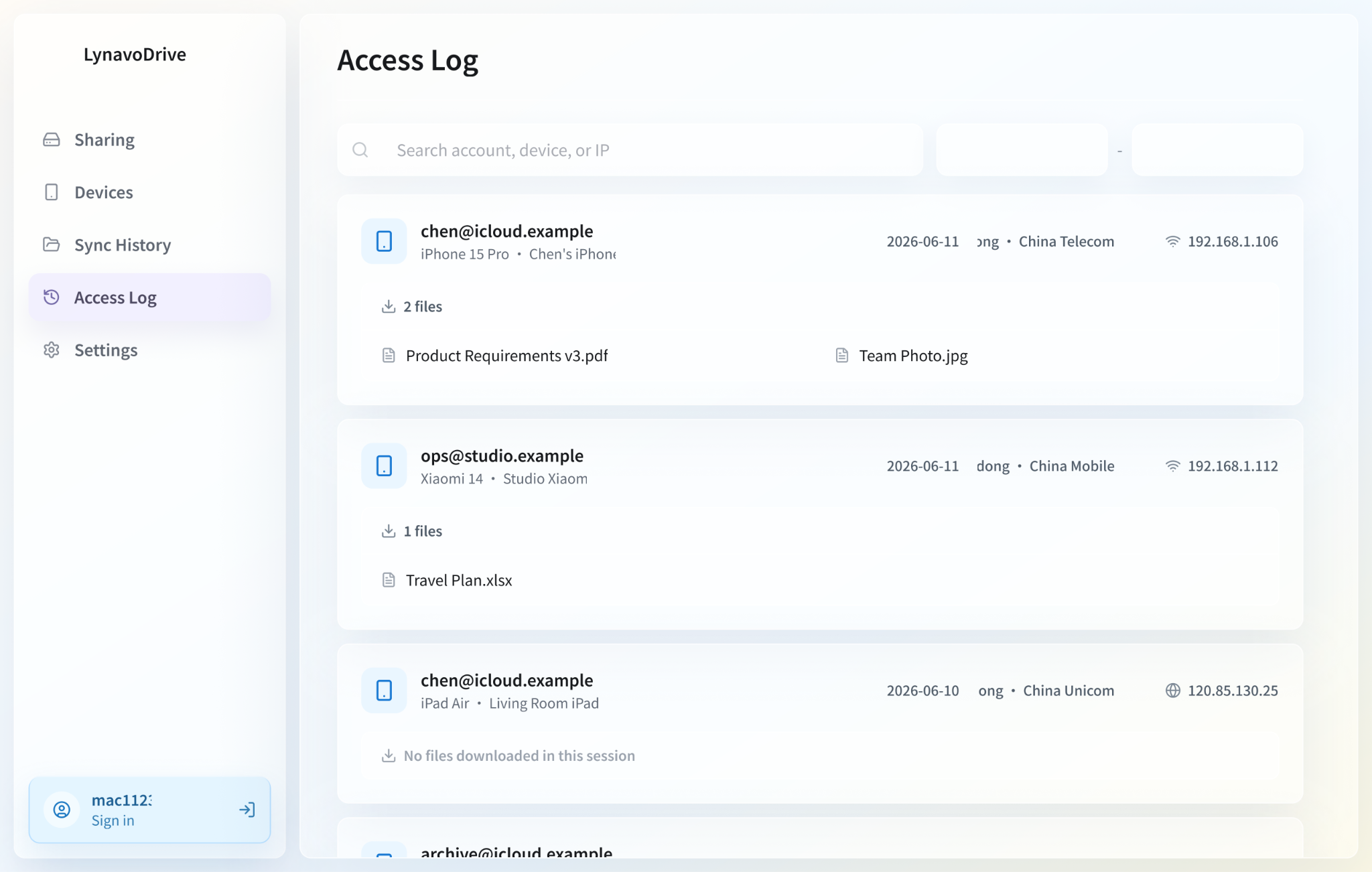
Block or unblock devices anytime. Blocked devices cannot connect, back up album media, or browse computer files.
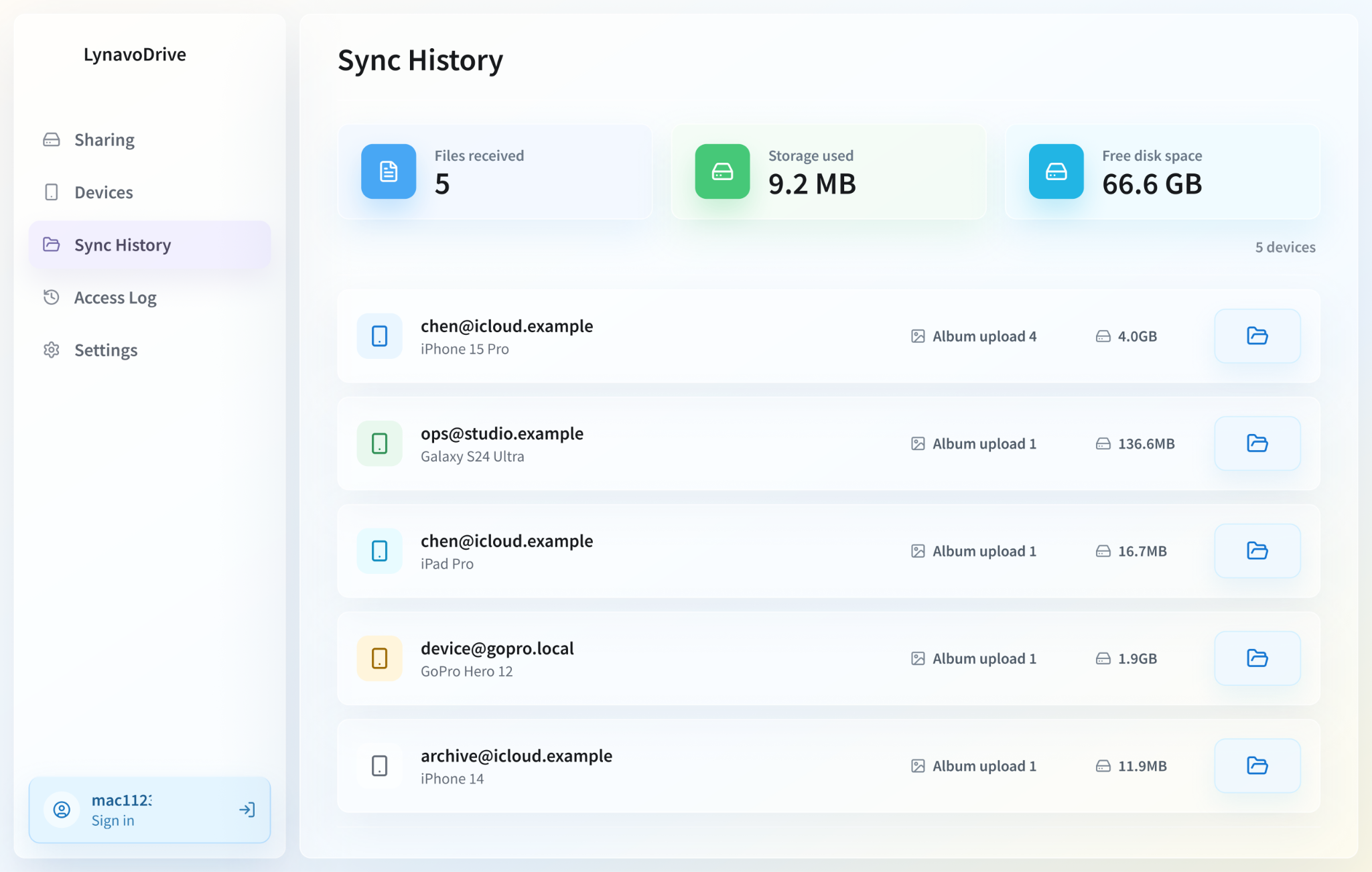
Sync History shows what landed on your computer. Access History shows which devices opened computer files.
No vague promises: browsing away from home needs your computer online, and Auto Upload is designed for trusted networks.
LynavoDrive opens its local core, including photo backup, LAN file access, device discovery and connection, device management, sync history, and access history. The open-source edition requires no LynavoDrive account and does not include official remote-access code.
—Build it yourself
$0Free forever
$0.99/ month · $9.99 / year
It backs up phone photos and videos to your computer automatically, and lets you browse computer files from your phone when you are away.
Set a connection code in the desktop app. On your phone, choose the computer and enter the code. After that, you can enable album backup or browse computer content.
Photos and videos go to the receive folder set in the desktop app. Use the default folder or choose your own.
No. Your computer needs to stay online. If it is shut down, asleep, or disconnected, wait until it comes back online.
LynavoDrive is built for album backup and remote access. Actual speed depends on your network, device status, and media size.
Browsing computer files while away uses encrypted transfer. Local Auto Upload is designed for trusted networks.
The open-source edition requires no account. In the official build, LAN photo backup can be used without signing in; LAN file access requires the desktop app to be signed in; official remote access requires an account and active service. Device management, sync history, and access history are part of the local core.
Windows x64, macOS Apple Silicon, macOS Intel, iOS, and Android apps are available for direct download. Linux availability updates are available by email.
LynavoDrive is closer to making your own computer the home base for files. Phone photos and videos can back up directly to your computer, and your phone can browse computer files when the computer is online.
Both cover the same local-first use cases. The open-source edition requires no account, must be built and updated by the user, and does not include official remote-access code. The official free build provides signed installers, official updates, and account integration.
No. The repository includes LAN device discovery, connection, and file access, but not official cross-network discovery, connection coordination, relay, subscription, or billing code.